Every release, newest first.
What changed in each version of NotchiDex, in plain words. Updates arrive through the Microsoft Store by themselves, usually within a day or two of a release going live.
-
0.2.0
Live now22 October 2026The Pro version. The app stays free; Pro is a one-time unlock.
- Dock the island at the left or right end of the screen at any height. It tucks away to a small cat-sized pill and comes out when you hover or when Notchi goes exploring.
- More tries and shorter waits when you feed Notchi or throw the ball.
- Island size, solid or translucent background and opacity.
- The file shelf, the water, break and eye-rest reminders, and Notchi's fur colours, hats and taskbar roaming move into Pro. Founders keep all of it.
- New in Pro: three more pets (Coco the hamster, Mochi the golden retriever and Piku the parrot), more expressions, and a System tile with memory, processor and the apps using the most RAM.
- Every PC can try Pro free for 7 days from Settings. It starts only when you press the button.
The app stays free, with a one-time Pro unlock ($4.99, no subscription). Everyone who installed before Pro launched is a Founder and has Pro free. How Pro works →
-
0.1.3
Earlier19 October 2026Free for everyone. NotchiDex can now tell you when a new version is out.
- A small card on the island says when a new version is ready, with Update now and Later. Later asks again the next day.
- Choose how updates work in Settings > Updates: Ask me (the default), Auto, which installs by itself, or Manual, which never checks.
- Nothing pops up during fullscreen games and videos.
- After an update, Notchi tells you which version you are on.
The check asks the Microsoft Store, not us, and Manual turns it off. What exactly is sent →
-
0.1.2
Earlier15 October 2026Free for everyone. A livelier Notchi, and a few fixes. The Microsoft Store installs it by itself, or update from your Library.
- Feed Notchi a pixel fish. It drops onto Notchi's mouth in a random colour and gets eaten in three bites.
- Throw Notchi a ball. Each throw uses a random colour.
- Notchi says when it is full and how long until you can feed it again. Keep feeding and it gets stuffed and turns down food and play for a few minutes.
- Pet Notchi too fast and it asks for space, then pauses petting for a few seconds.
- Levelling takes real time now. Notchi has something to say at levels 100, 250, 500, 1000 and 2000.
- Notchi's age and weight grow with the days and the meals. Both show in Settings > Cat.
- Set a custom timer from 1 minute to 3 hours with the new − and + buttons.
- The battery icon fills to the charge level, in green, amber, then red as it drops.
- Fixed: the island now closes by itself when you open it from the tray.
- Fixed: Notchi no longer sticks to the pointer after you pull it out of the island.
- Fixed: the battery view no longer clips the Power settings button, and the Home tile says "Charged" instead of a cut-off "Fully charg...".
-
0.1.1
Earlier10 October 2026A new look, and a fix for a real annoyance.
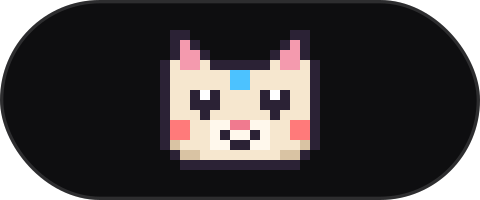
- New logo: the island with Notchi inside. It is the app icon, the tray icon and the Store tile.
- Fixed: the island no longer covers the minimise, maximise and close buttons of other windows. It steps aside until you move the window or switch to another.
-
0.1.0
First beta7 October 2026The first public release, on the Microsoft Store.
- A small island at the top of the screen that expands when you click or hover.
- Now playing from any app, with album art, play and pause, skip and a seek bar.
- Volume bar (scroll over the island to change the volume) and a battery card when you plug in or run low.
- Focus timer you start from the island.
- File shelf: drop files on the island, drag them out later.
- Water, break and eye-rest reminders, quiet in fullscreen.
- Notchi the pixel cat: naps, reacts to music and timers, wanders along the taskbar, can be petted, fed and played with. Level up for fur colours and hats.
- Hides during fullscreen games and videos. No account, no telemetry, no network requests.
Missing something, or found a bug? Tell us on the feedback page. Every message is read, and what people ask for most gets built first.